
When Teams chat history disappears
Teams chats are tied to your account in an organization. You typically lose access when:
- You leave a job and IT disables your account, often on your last day.
- Guest access ends in a client or partner organization.
- A school account expires after you graduate or finish a course.
- A retention policy removes messages older than a set age.
Do it while you still have access: once the account is closed, there is nothing left to back up.
Before you start
- Check your employer’s or school’s policy on keeping copies of conversations.
- Make a list of the chats you need: managers, clients, project groups, HR threads.
- Use Chrome on a computer you’ll keep, not a work laptop you’re handing back. Backups are stored in that browser.
Save your Teams chat history
- Install the extension. Add Teams Chat Backup from the Chrome Web Store. No account or sign-up.
- Open Teams in Chrome. Go to
teams.microsoft.com(work or school) orteams.live.com(personal) and sign in as usual. - Choose the chat. Click the Teams Chat Backup icon, then Backup Chats & Channels, and pick the conversation. The chat you have open is marked CURRENT.
- Start the backup. Click Start Backup and keep the Teams tab open. The extension scrolls to the beginning and saves every message with its author, date and images.
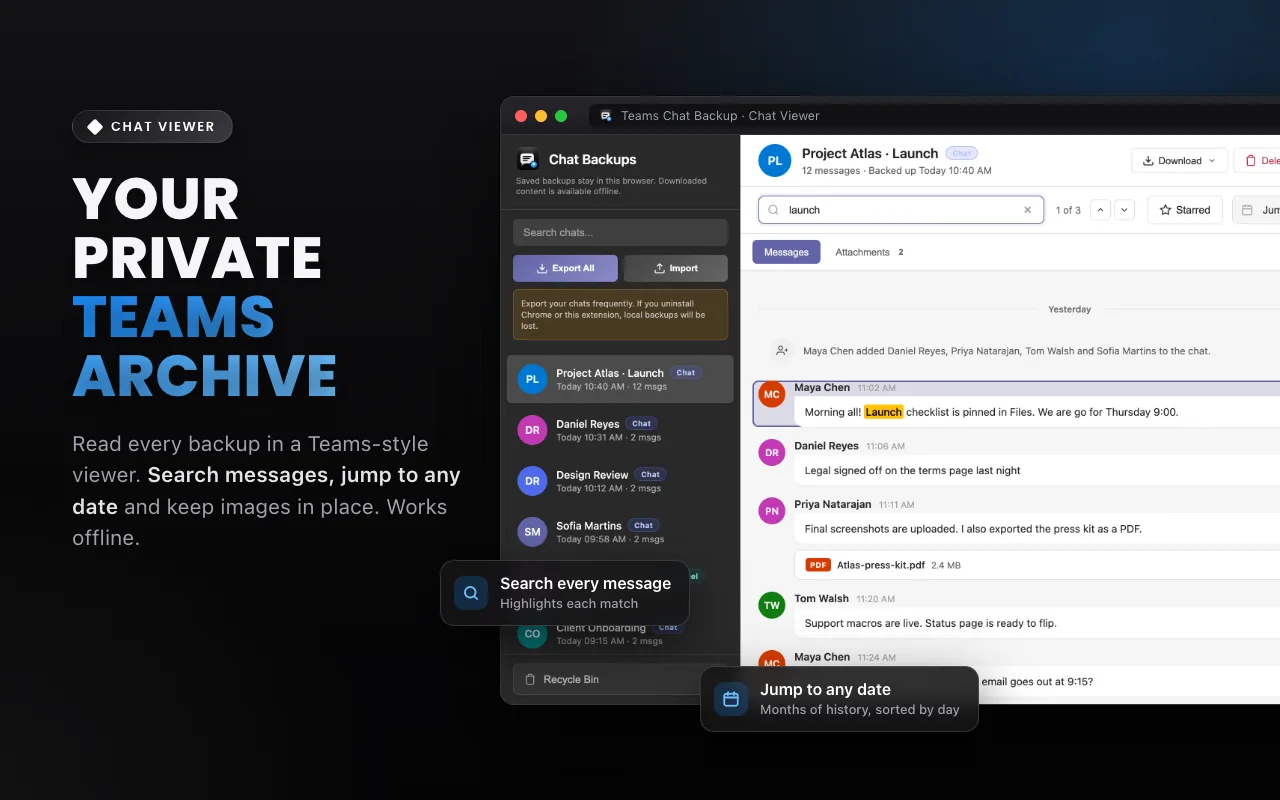
- Open your copy. Click View Backed Files. The chat opens in a private, searchable viewer inside your browser.
For very long conversations, turn on Long Chat Mode in Settings first. Then, for anything important, also export a file: Download → PDF (or HTML/TXT) in the viewer, and store it somewhere safe.
Teams Chat Backup · Save your chats while you still have access. Free for your first chat.
Reading it later
Your backups open in a Teams-style viewer in your browser, without Teams and without an internet connection. Search every message, jump to a date, and export again whenever you need a copy.
A note on record-keeping
A personal backup is a convenient copy of what you could see in Teams. It is not a legal hold, eDiscovery export or certified record. If you need an official record, for example for a dispute or audit, ask your organization for an export through its approved Microsoft 365 process.
FAQ
What happens to my Teams chats when I leave a company?
Your account is usually disabled and you can no longer sign in, so you lose access to your chats. What happens to the data is up to your former employer’s retention settings.
Can I still read my saved chats offline?
Yes. Backups made with Teams Chat Backup are stored in your browser and open in the viewer without Teams or an internet connection.
Is it allowed to keep copies of work chats?
It depends on your employer’s policies and your contract. Check them first, and only keep what you are allowed to keep.